How to Keep Your Twitch VODs From Getting Muted
You finish a stream with music playing in the background, then find Twitch has silenced large stretches of your VOD. Anyone who replays it, and every clip cut from it, gets dead air. If you play music on stream, this guide shows you how to keep your Twitch VODs fully audible with a separate audio track, set up once in OBS.
Why Twitch mutes your VODs
Twitch scans every saved VOD for recorded music it cannot license. When it finds a match, it mutes the audio in roughly 30-minute blocks around it. Your live broadcast is untouched, but the recording, and every clip made from it, loses its sound. Music streamers, DJs, and VTubers who play tracks on stream get hit the hardest.
The fix: a music-free track just for the VOD
Twitch supports multitrack audio. Alongside your normal stream audio you send a second audio track, and Twitch uses that track for VOD playback. Put your voice and your game or alert sounds on that second track and leave the music off it. Live viewers still hear everything, music included, while the saved VOD plays the clean track and stays unmuted.
This usually needs special broadcasting software. PSiStream relays the multitrack setup straight from a standard OBS install, so you keep your existing scene, encoder, and settings and simply point OBS at us. You can multistream to YouTube, Kick, and custom destinations at the same time from the same broadcast.
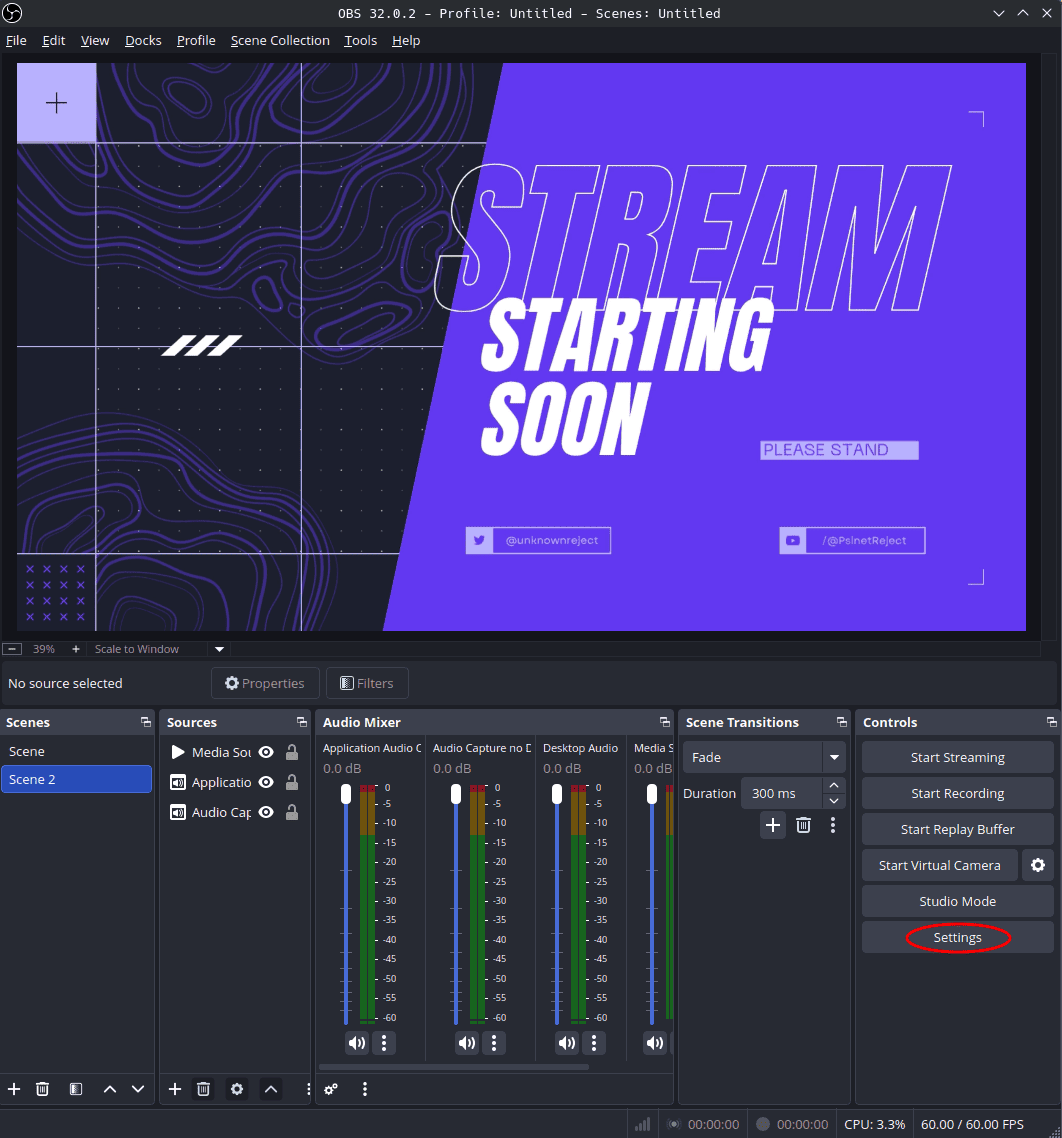
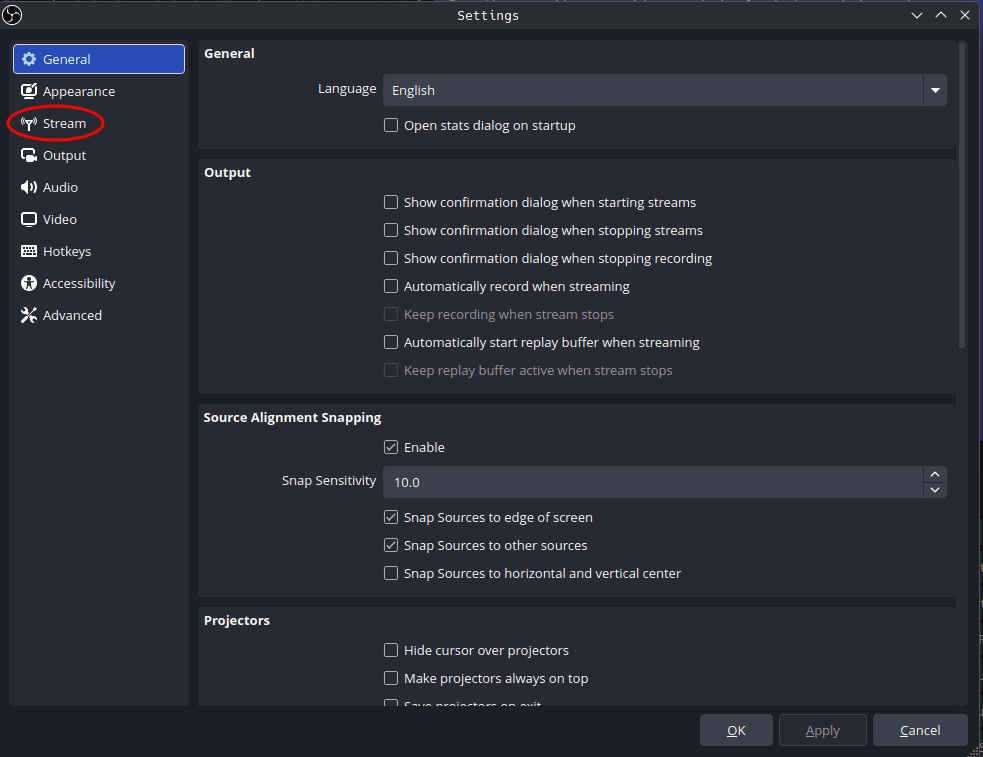
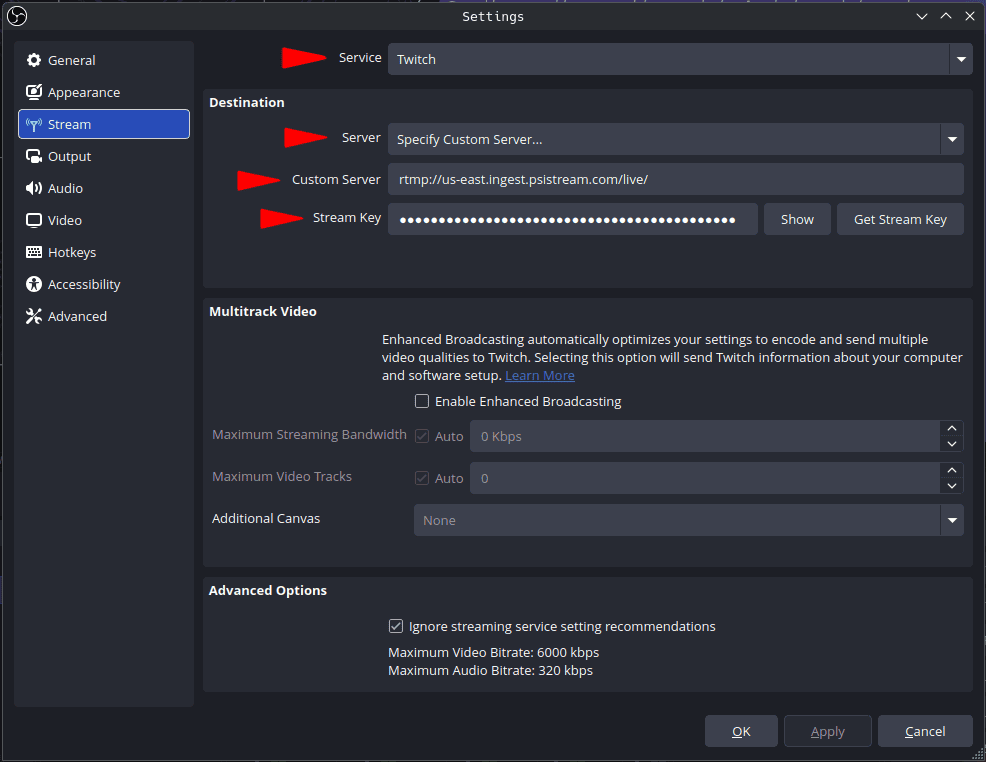
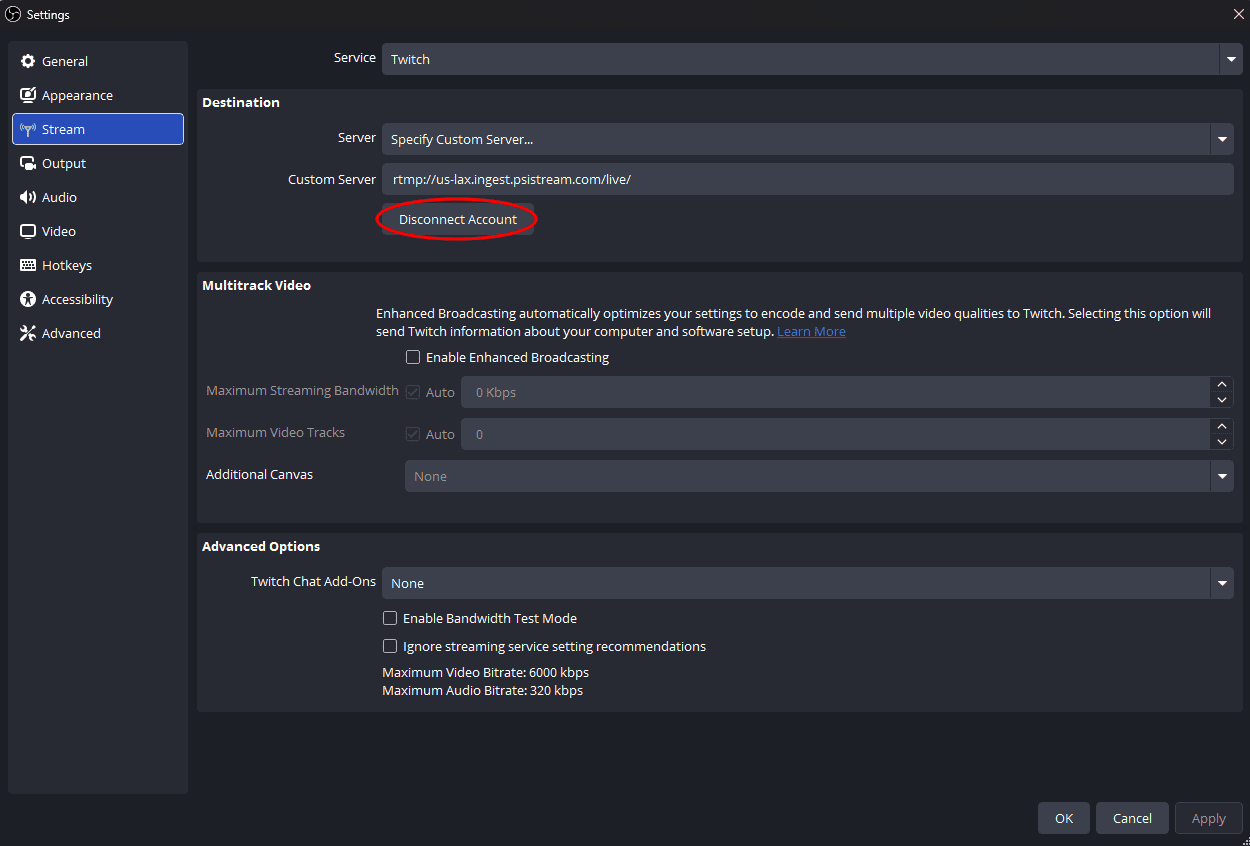
If the Stream tab shows a Disconnect Account button instead of a Stream Key field, your Twitch account is linked inside OBS. Press Disconnect Account so you can enter the custom server and your PSiStream stream key.
Who this is for
Anyone who plays music on a Twitch stream and wants the VOD to stay watchable: DJs and live music sets, music and listening streams, VTubers, and creators who keep tunes going in the background. The same single broadcast still relays to your other platforms, so you are not trading reach for clean VODs.
Create your account and set up multitrack audio in minutes. One broadcast, relayed to every platform, with VODs that stay playable.
Get started